
The Nutrition section is a great feature of your fitness app. When the user's go through signup, the information that they enter will calculate the TDEE to determine their daily macros and calories. The user will then be able to add foods to meals to track their calories and macros until they reach their daily goal. From the Hype Burst dashboard, you have the freedom to assign how the number of meals meals, what types of foods they have the ability to add, bulk/cut calories and so much more.
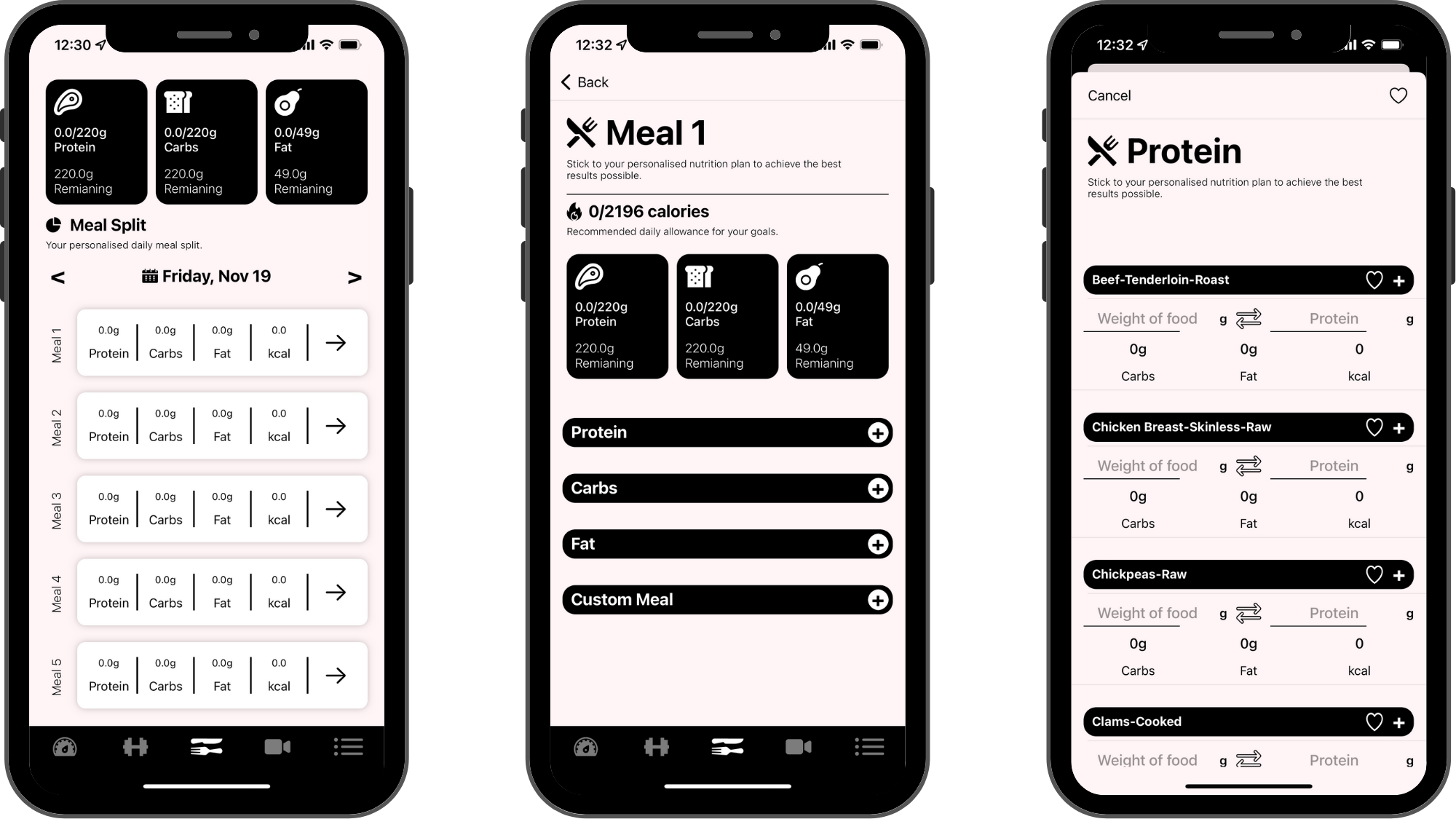
How the app calculates Nutrition figures
During sign up, each app user will enter their age, gender, height, weight, and activity level. The user can update their information at anytime from Settings in the app. This information is used in the detailed process outlined below to calculate the Nutrition figures in the app.
BMR:
The app must first calculate the users Basal Metabolic Rate (BMR) by running the Harris–Benedict equations revised by Miffilin and St Jeor in 1990.
TDEE:
The app will then multiply the BMR by the users activity level number to produce the users Total Daily Energy Expenditure (TDEE). The resulting number is the approximate daily calorie intake to maintain current body weight.
Bulk/Cut/Maintain:
The app will then add or subtract calories from the TDEE maintenance number depending on the fitness plan the user is following. Each plan in your app must be assigned a goal (bulk/cut/maintain). Bulk will result in calories added to the TDEE, cut will deduct calories and maintain will keep the original TDEE calculation.
Macro Split:
Now that the app has calculated the users calories adjusted for activity level and goal, it must split those calories depending on the macro split you set for your app. You can assign a percentage split for protein, carbohydrates & fats from the dashboard and the app will split the calories accordingly.
Calculate Macros For Grams:
Once the app has split the calories into macros, it must convert the calorie number for each macro into grams so the users knows how much food to track for each macro.
Customising the Nutritional calculation formula

You can customise multiple different factors in your apps nutritional setup. Things you are able to customise are as follows:
Low/Medium/High Activity Constant
During sign up, the user must specify their daily activity level (low/medium/high). You are able to set a constant number that is associated to each activity level. The number you set for each activity level will be multiplied by the users Basal Metabolic Rate (BMR) at signup to calculate their Total Daily Energy Expenditure (TDEE). The resulting number is the approximate daily calorie intake to maintain current body weight with daily activity taken into account.
Bulk Calorie Surplus
The number you enter here will be added to the users TDEE if they have selected a plan made with a 'bulk' goal. In the above example, 500 is entered. So 500 calories will be added to the users TDEE.
Cut Calorie Deduction
The number you enter here will be deducted from the users TDEE if they have selected a plan with a 'cut' goal. In the above example, 300 is entered. So 300 calories will be taken away from the users TDEE.
Protein/Carb/Fat Macro Percentage
The users daily calorie recommendation is split up into the three macronutrients (protein, carb and fat). In the example above, 40 is entered for protein. This means that 40% of the daily calories will be assigned to protein.
Number Of Meals
You can assign the number of meals that can be tracked for each day. There is no limit, so it may be beneficial to assign more rather than less (if a user hits their daily target, they do not have to track the other meals for that day).

Default foods
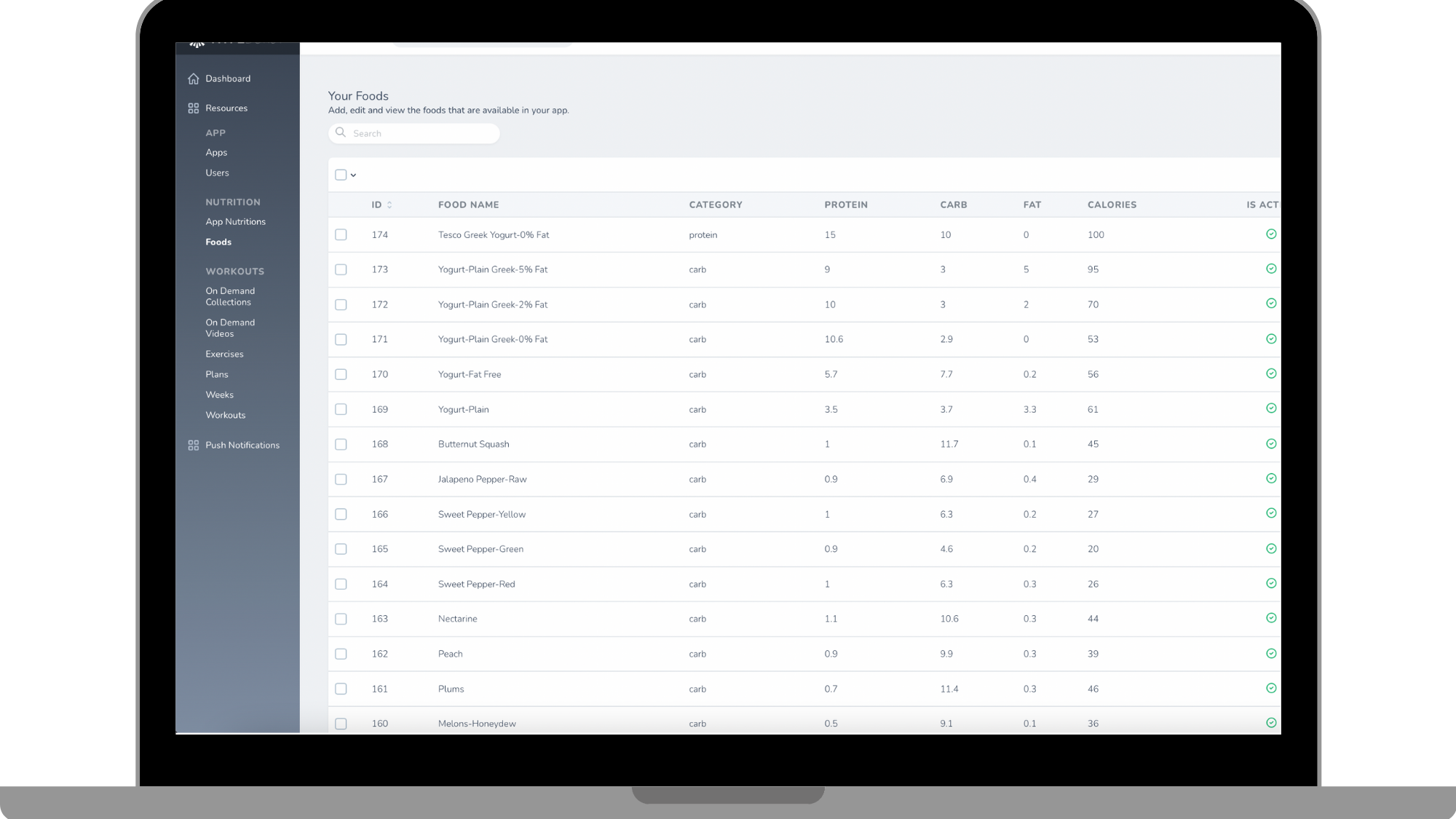
We have provided the basic foods for you to use in your own fitness app. These are the 'Default Foods'. In the example above, you are able to see a preview of the type of default foods that are provided. When you are customising your nutritional information for your app, you are able to check a box at the top allowing you to use the default foods we have provided or to not include them.
Adding your own custom foods

You have complete freedom to add any type of food or meal you choose. If you want to add in a pre-made meal... You have the ability to do that. It is completely up to you. When adding in your custom food, you enter the name, assign it to a protein/carb/fat, and enter in the amount of each that would be in 100g of that food. A great source to use is Calorie King to find the information for each of these categories.
Comments
0 comments
Please sign in to leave a comment.