
In order for Hype Burst to publish your app on the App Stores, we require some information from you. This guide will outline exactly what we need, where to provide it and what to do next.
NOTE: YOU MUST HAVE AN ACTIVE APPLE DEVELOPER MEMBERSHIP AND GOOGLE PLAY DEVELOPER MEMBERSHIP BEFORE HYPE BURST ARE ABLE TO PUBLISH YOUR APP.
Steps in submitting your app info to Hype Burst
Before submitting your app information to Hype Burst for Development, you need to make sure you have created an Apple Developer account and a Google Developer account. If you haven't, please refer to the following guides:
Creating an Apple Developer Account
Creating a Google Developer Account
Step 1: Apple and Google Developer account and access
Check you have both an active Apple Developer account and Google Developer account. You should have received an email confirmation from both.
Once you have confirmed you have an active Apple Developer account, check you have invited the Hype Burst team. This process is different for Individual Apple accounts, Company Apple accounts, and Google Play accounts.
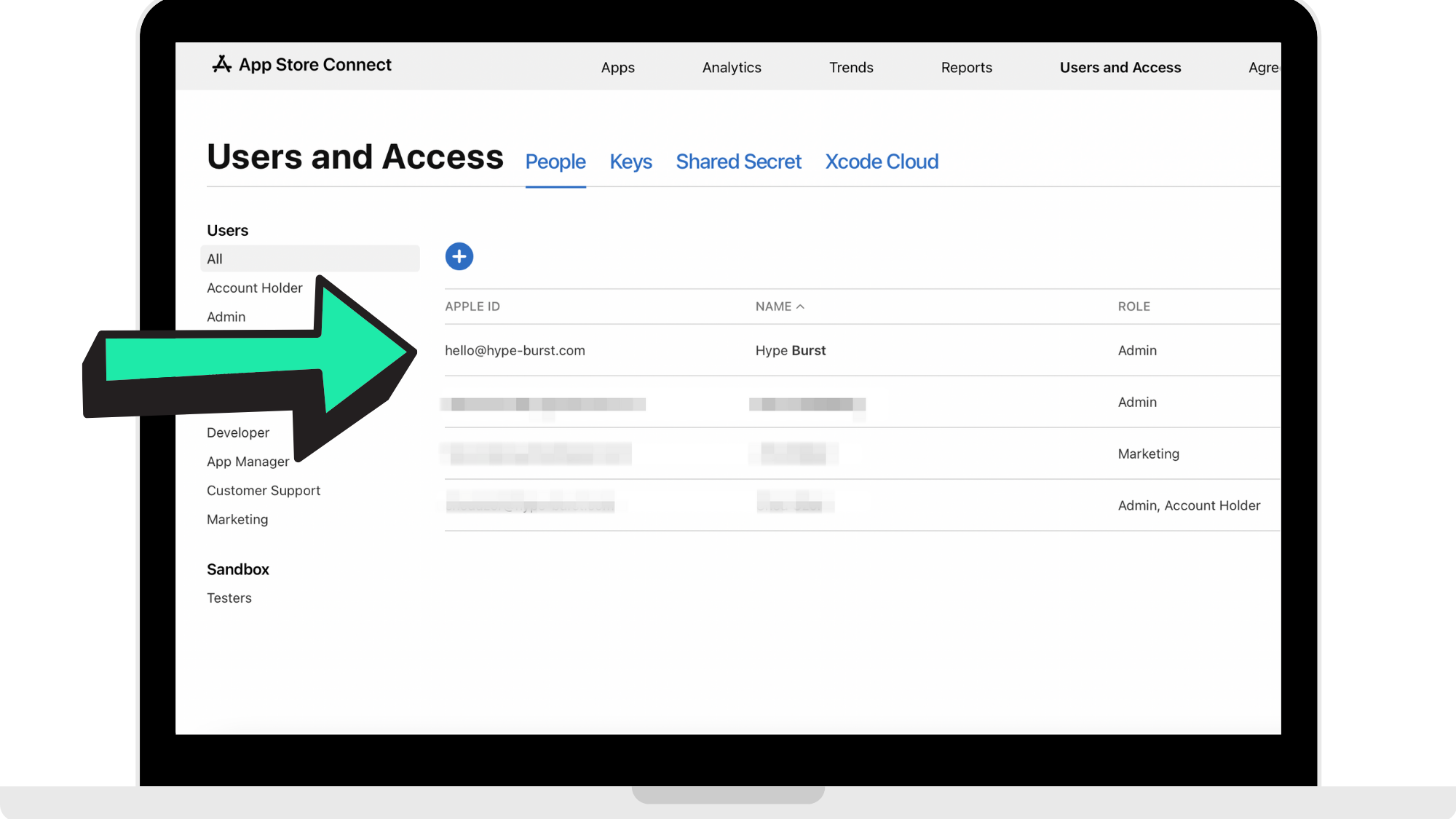
For your Apple Developer account, your 'Users and Access' page should look like the reference image below showing that you have shared 'Admin' access with Hype Burst.
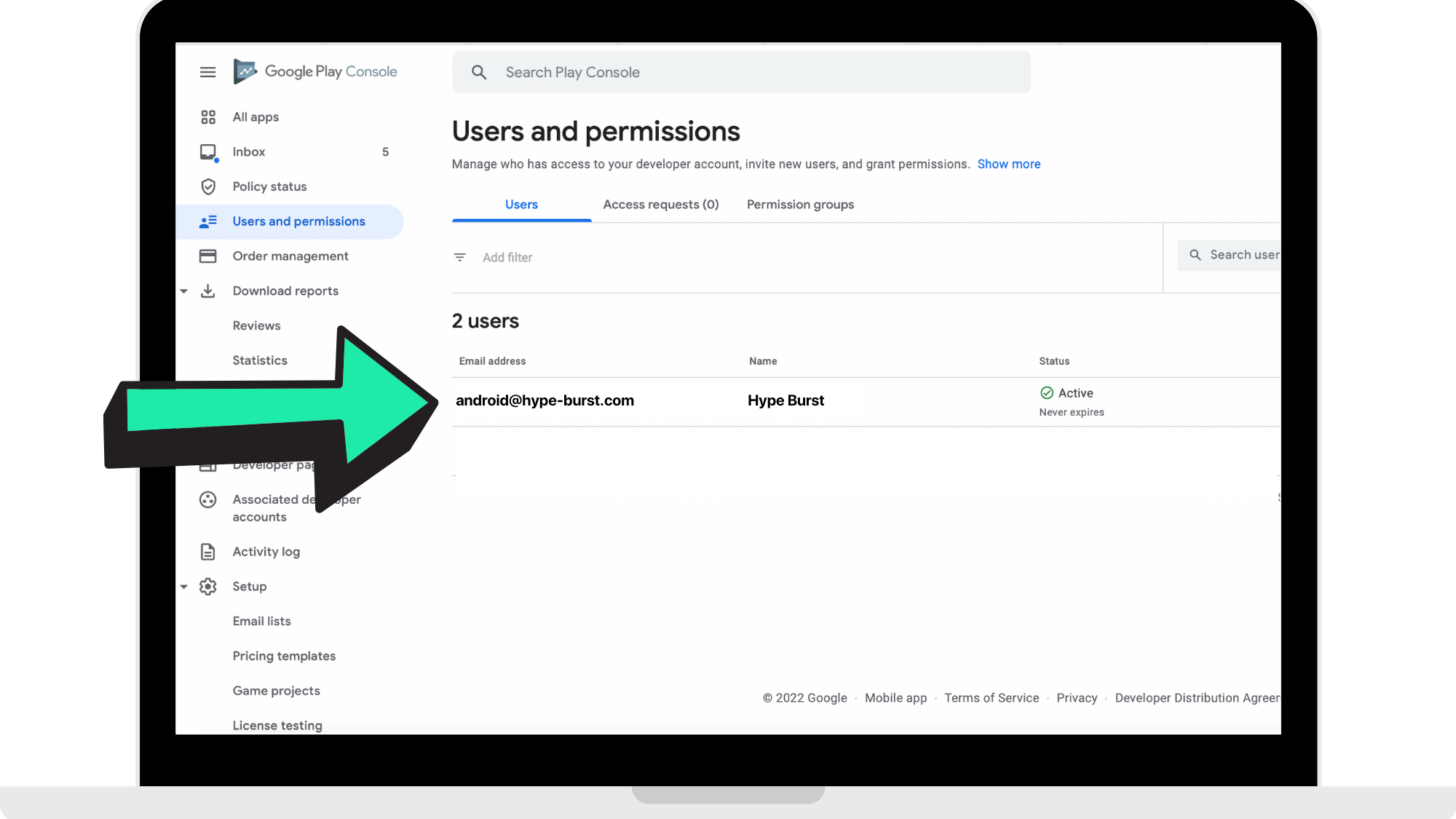
For your Google Play Developer account, your 'Users and Permissions' page should look like the reference image below showing you have shared access with Hype Burst.
Please refer to the relevant guides for each:
Setting up an Individual Apple Developer account
Setting up a Company Apple Developer account
Setting up a Google Play Developer account
Step 2: Head to the Hype Burst dashboard
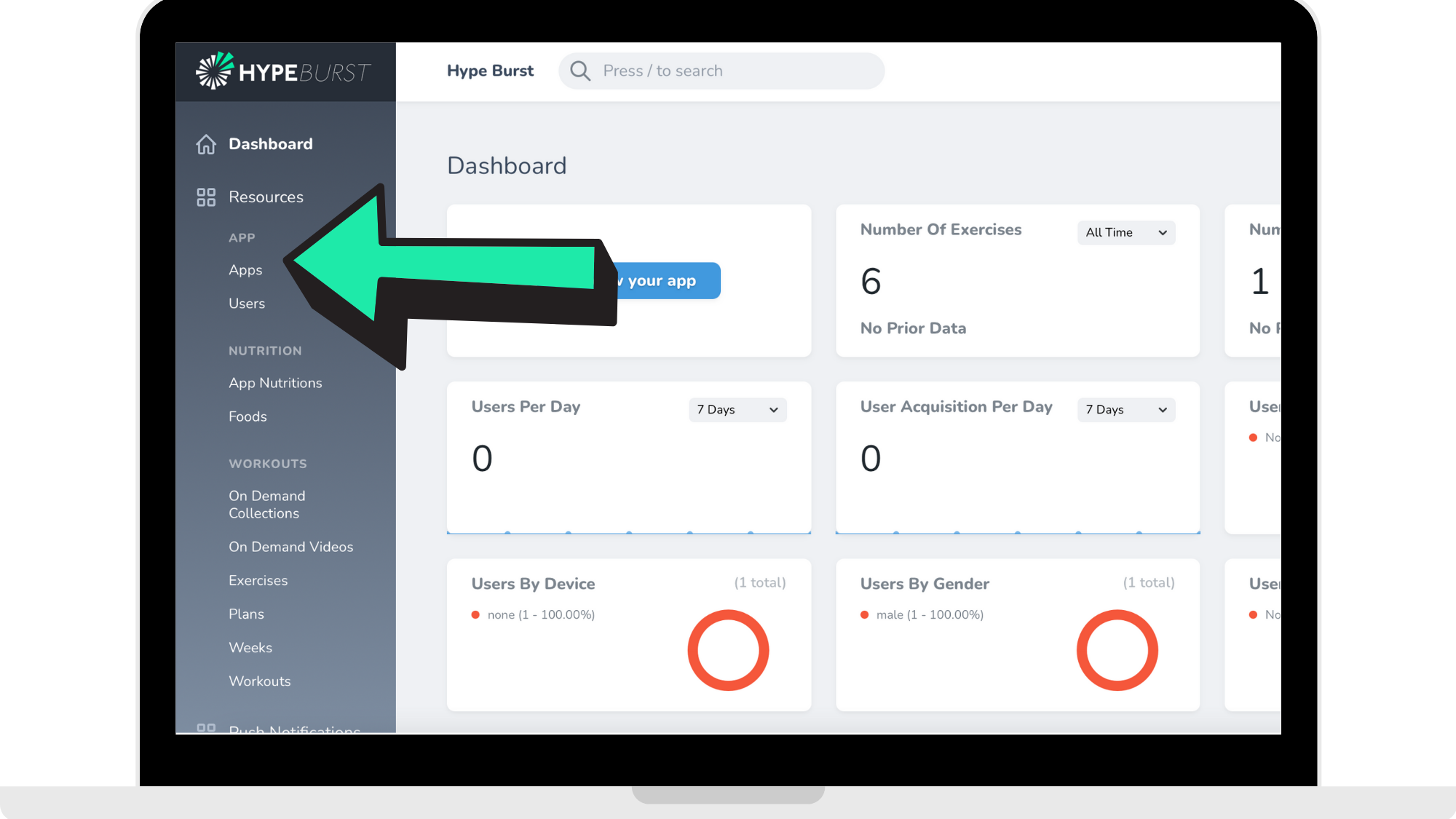
Visit account.hype-burst.com/admin from your browser and log in with your email address and password. Once you are logged in, click 'Apps' on the left hand side.
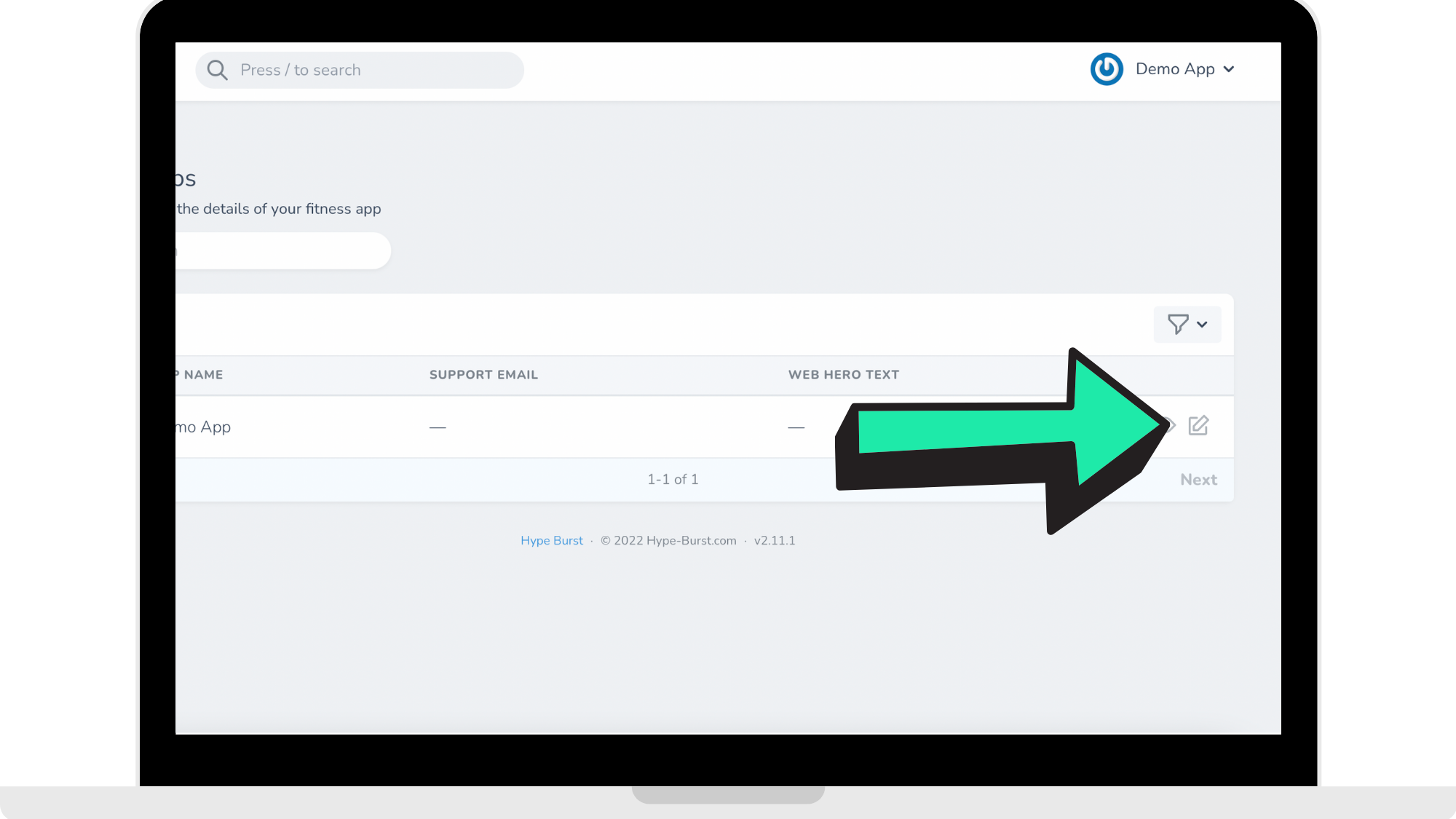
Click the 'Edit' icon next to your app.
Step 3: Complete all required information
The following information is required in order to publish your app for testing. Please consider each section carefully as they cannot be changed afterwards.
Name
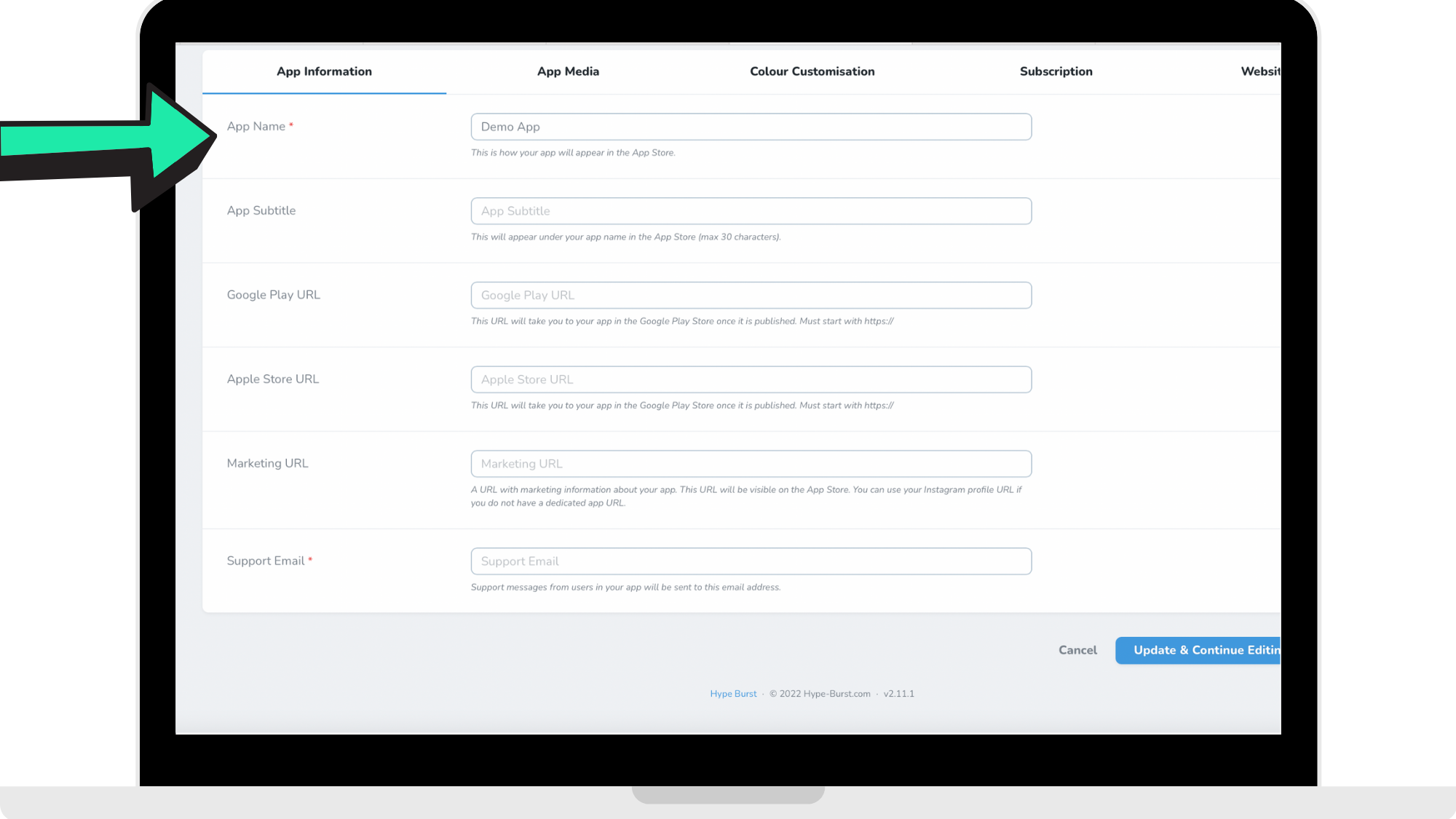
This is the name that will be displayed on your app on the App Store. Choose a unique app name, assign keywords that accurately describe your app, and don’t try to pack any of your metadata with trademarked terms, popular app names, pricing information, or other irrelevant phrases just to game the system. App names must be limited to 30 characters and should not include prices, terms, or descriptions that are not the name of the app.
Monthly/Yearly Price
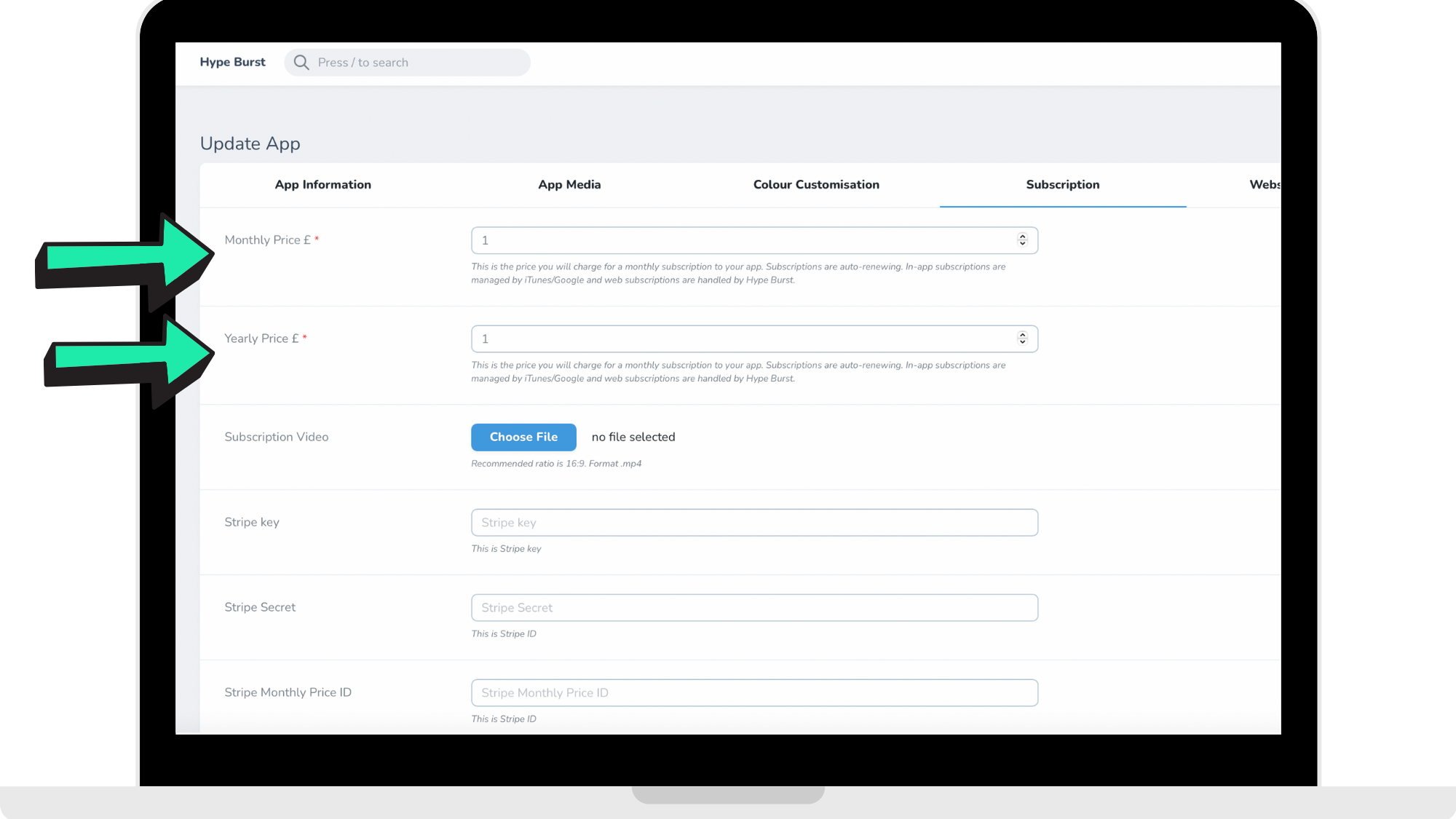
This is the price users must pay to subscribe to your app. Prices should be in GBP and our development team will automatically convert this to currency in regions where your app is available to download. The price you set here is inclusive of VAT. Apple and Google manage all subscriptions made in-app in accordance with each platforms terms and conditions. Subscriptions made on your app's web page will be managed by Hype Burst in accordance with Hype Burst terms and conditions. For more help on App Pricing and Payments please click here.
Apple Store Icon
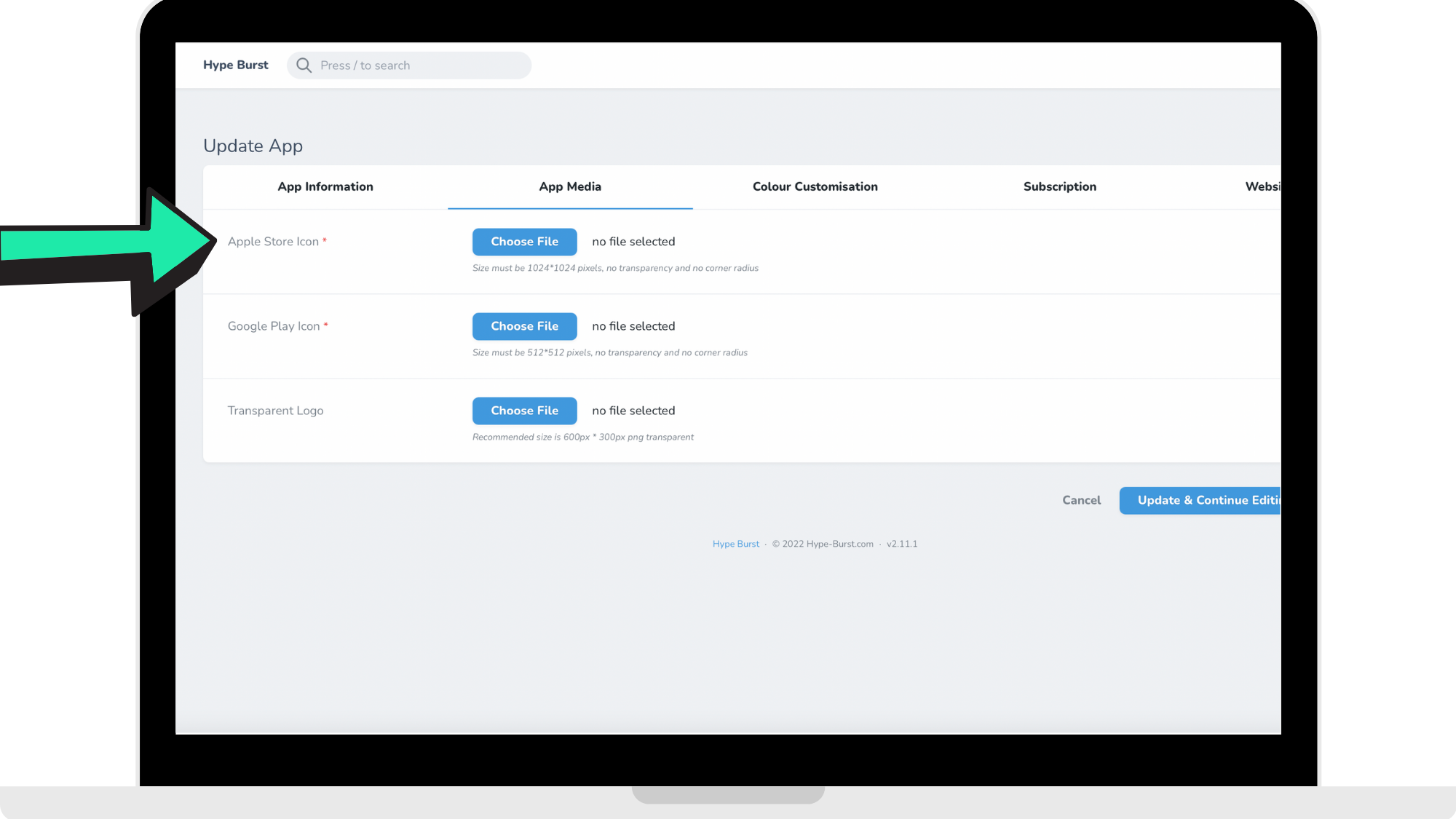
Upload your app icon that iOS users will see in the App Store and on their home screen. Your icon should be professional and eye catching. See Apple's guide for creating your app icon here: https://developer.apple.com/design/human-interface-guidelines/ios/icons-and-images/app-icon/
The Hype Burst design team will create the different sizes required to submit your app. You should only upload one version with the following attributes:
Size must be 1024*1024 pixels, no transparency and no corner radius.
Google Play Icon
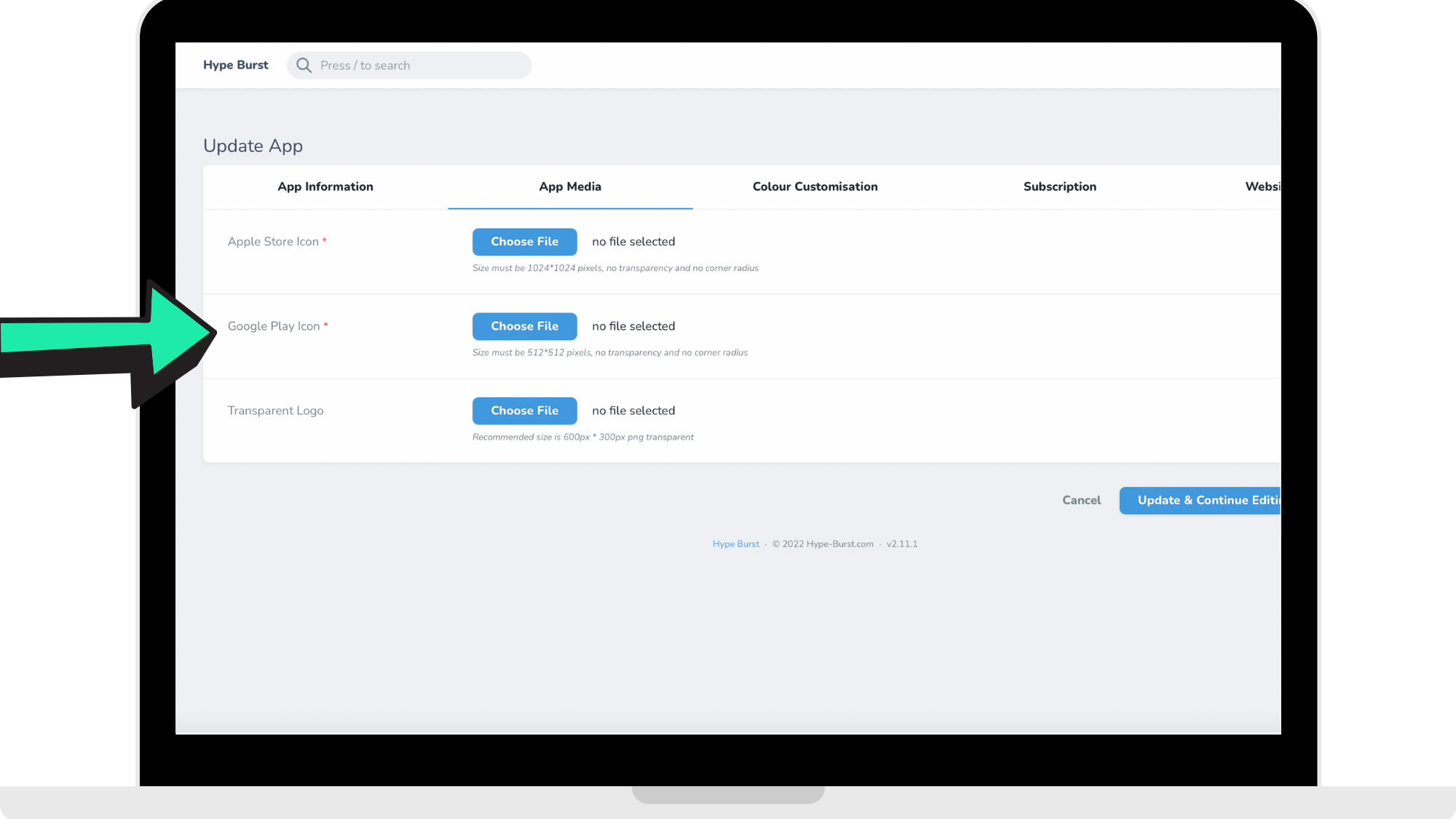
Upload your app icon that Android users will see in the Google Play Store and on their home screen. Your icon should be professional and eye catching. See Google's guide for creating your app icon here: https://developer.android.com/google-play/resources/icon-design-specifications
The Hype Burst design team will create the different sizes required to submit your app. You should only upload one version with the following attributes:
Size must be 512*512 pixels, no transparency and no corner radius.
Step 4: Submit your app information to Hype Burst for publishing
Once you have completed the steps above, click 'Update App' at the bottom of the page on the Hype Burst dashboard.
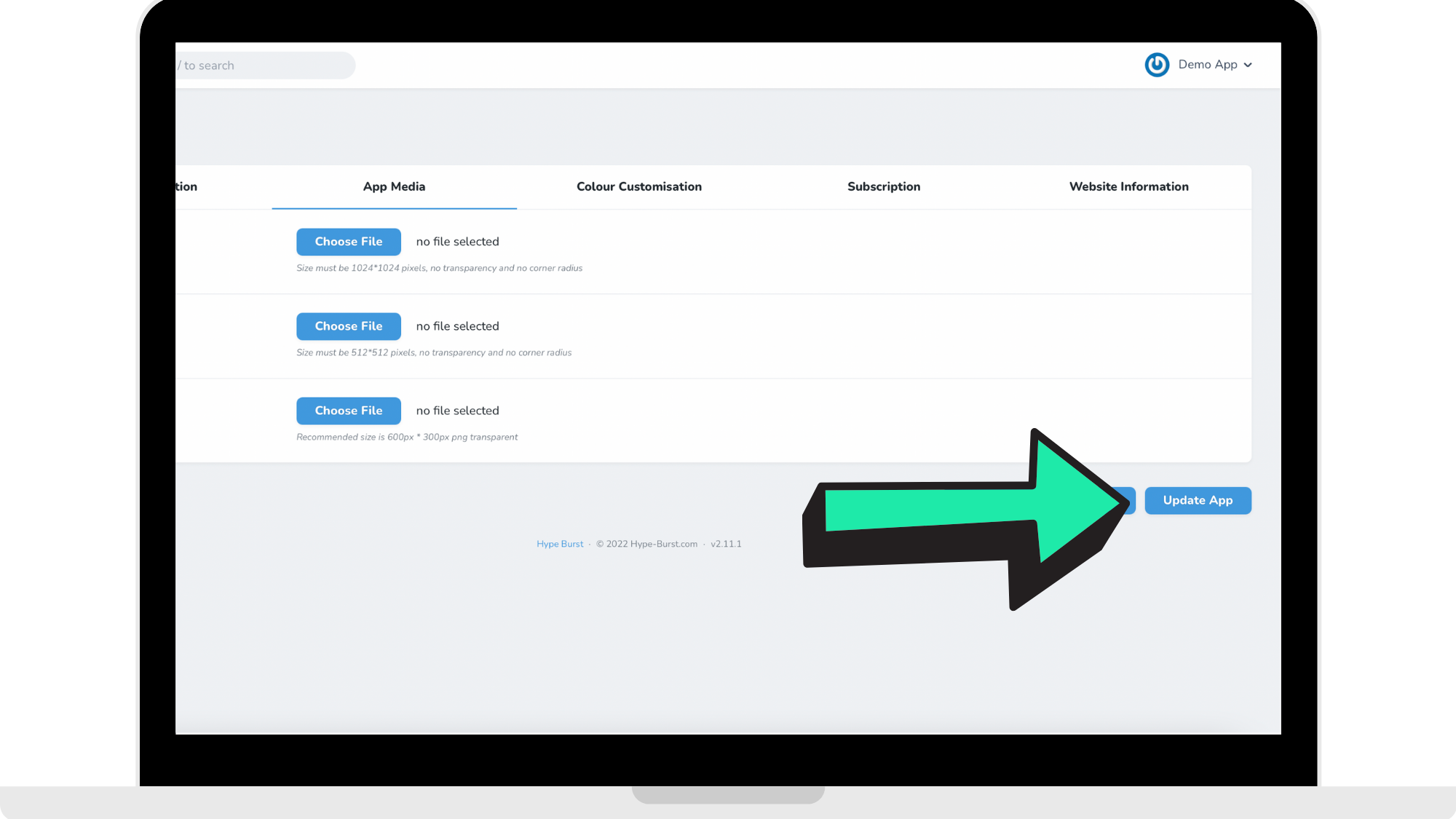
Assuming all information has been provided correctly, we will aim to have a test app version ready within 7 days but may be longer if we experience any delays in uploading an app version to Apple or Google.
Please note that once you have submitted your information and sent confirmation to Hype Burst, you will be charged a fee to be able to change any of the information that was required to submit the app build (i.e. the information provided in Step Three above). The reason for this is that the information required to submit your app is hard coded into your app build as opposed to an element that can be changed dynamically and our automatic software and development team will already be under way in developing your app build/your app is already built.
If you would like to change any of this information after you have submitted it to Hype Burst, please contact us.
Comments
0 comments
Please sign in to leave a comment.