
Exercises are the most important part of your fitness app within the Plans section. To be able to create a Workout, you need to have your Exercises. You can add new Exercises by clicking 'Exercises' in the left menu on the Dashboard. You can form your 'Exercise Library' where the Exercises you upload can be used in multiple Workouts. But if you wish to edit or delete any Exercises once they have been created, you are able to do so and have it be updated in the end-user's phone instantly!
To read the full article on the overview of the Plans section, click here:
How To Edit An Exercise
Step 1: Log into your Hype Burst Dashboard
Head to https://account.hype-burst.com/admin/login to log into your Hype Burst Dashboard.
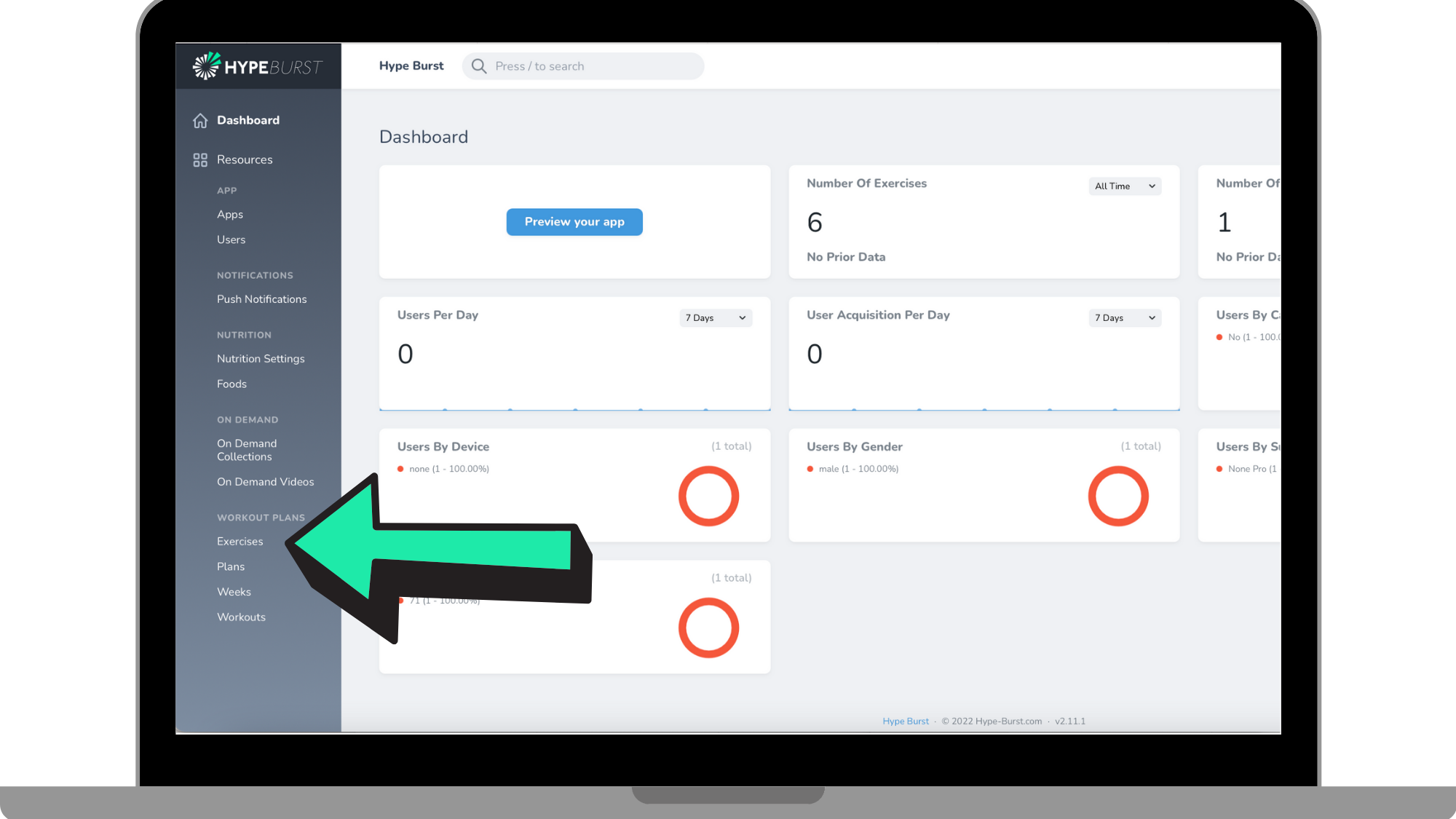
Step 2: Click on 'Exercises'
Under 'Workout Plans' in the panel on the left-hand hand side, click on 'Exercises'.
Step 3: Locate the Exercise you want to edit
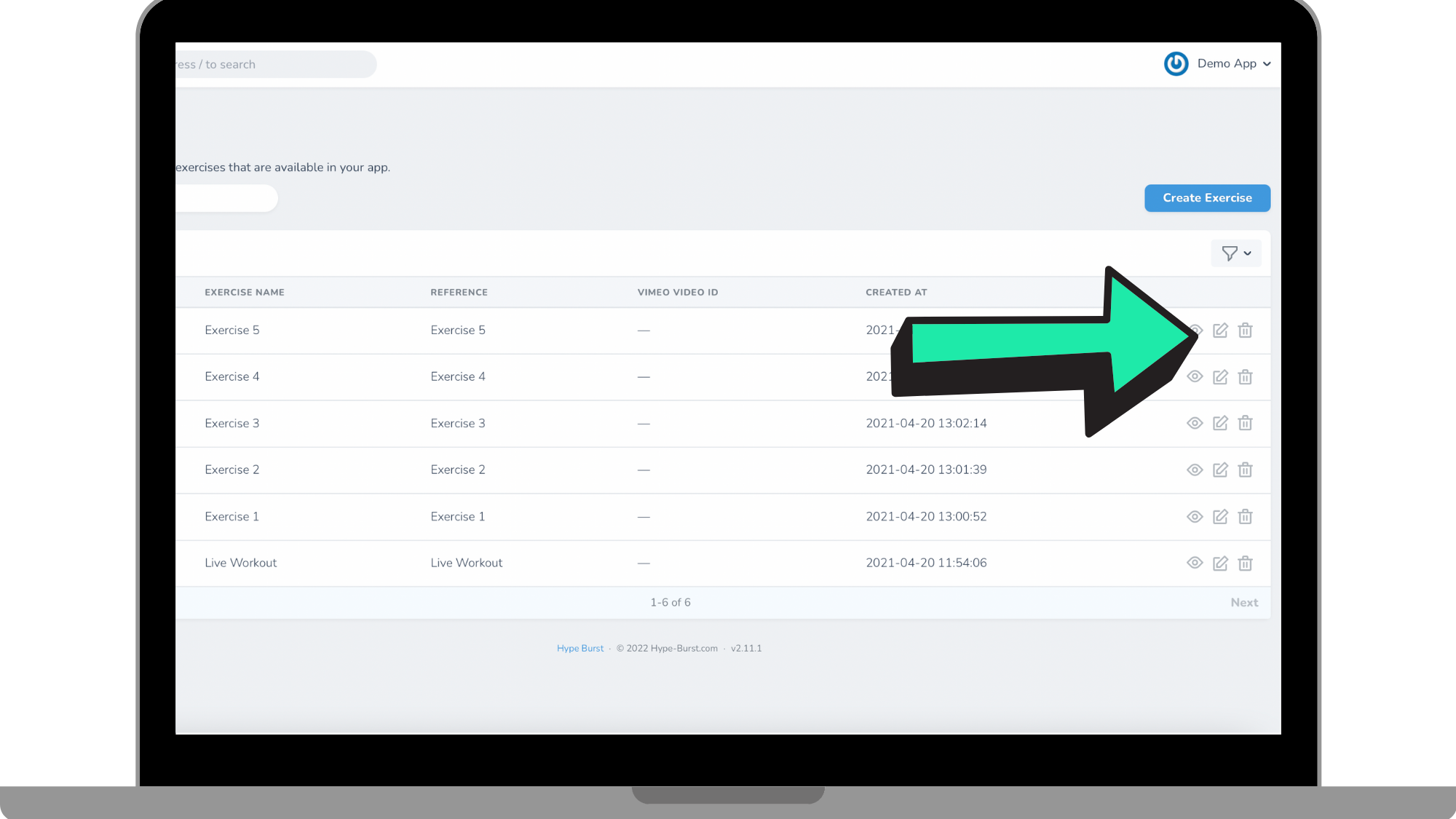
You can search for the Exercise in which you want to edit by the search bar at the top or by locating it within the list of Exercises you have created.
Step 4: Click 'Edit' next to the Exercise
Once you have located the Exercise in which you want to edit, click the 'Edit' icon.
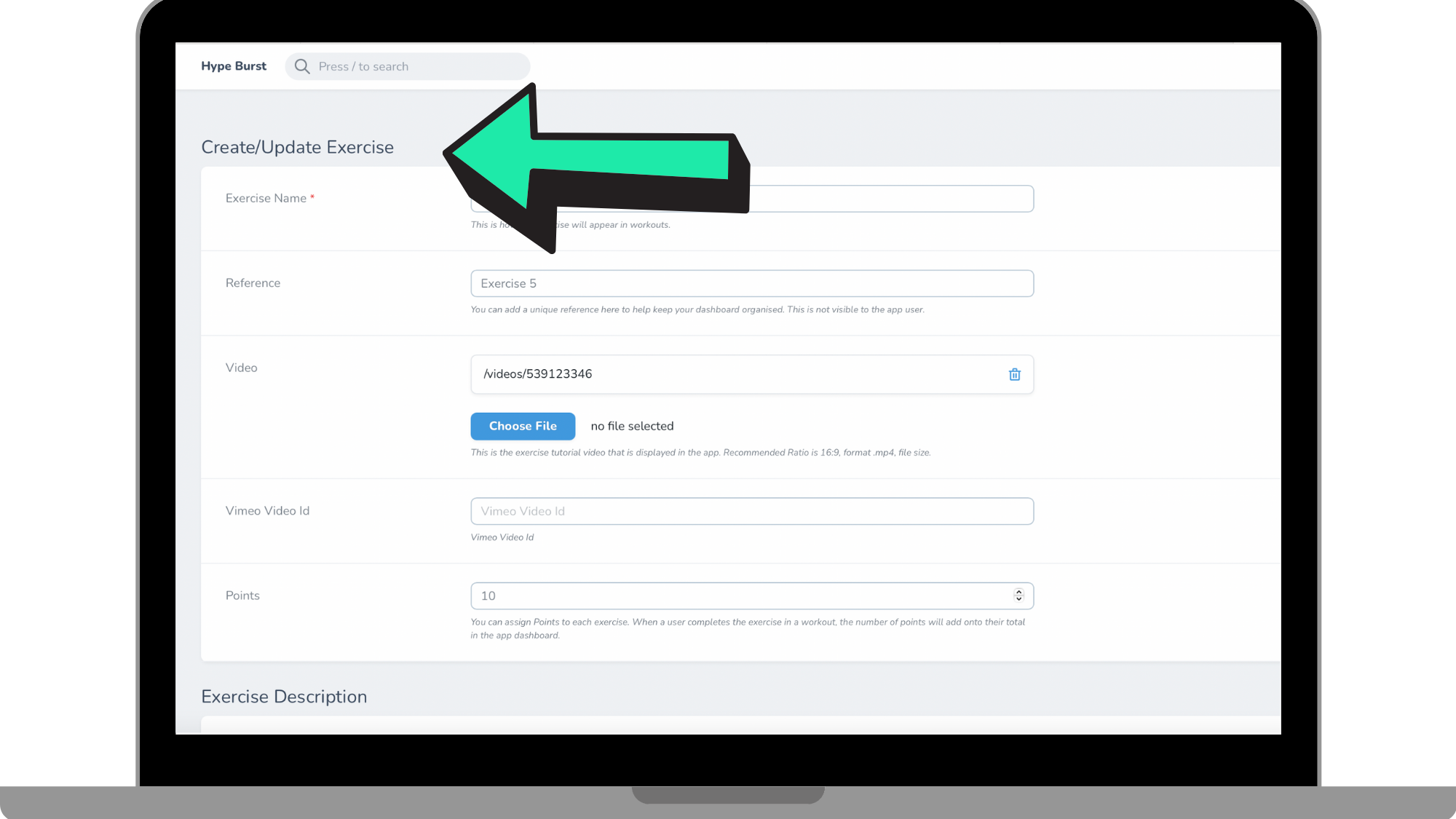
Step 5: Update the information in your Exercise
Once you are in the editing page of the Exercise, make any necessary changes to your Exercise. You are able to change the name, reference, video/vimeo ID, and how many points it is worth.
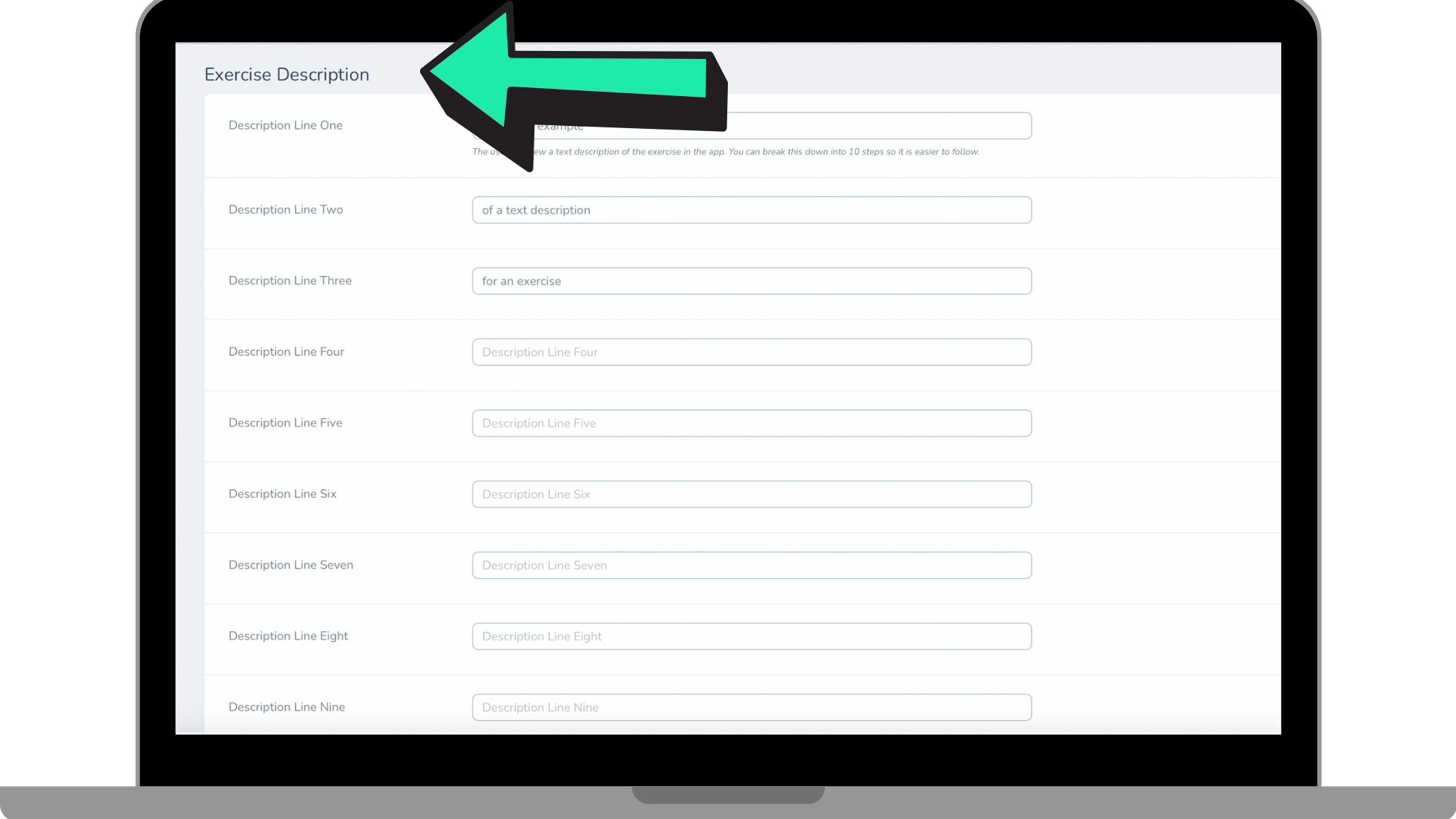
Once you have made any changes to the name and look of the Exercise, you are able to add/change the directions for the Exercise as well, which can be seen in the reference image below.
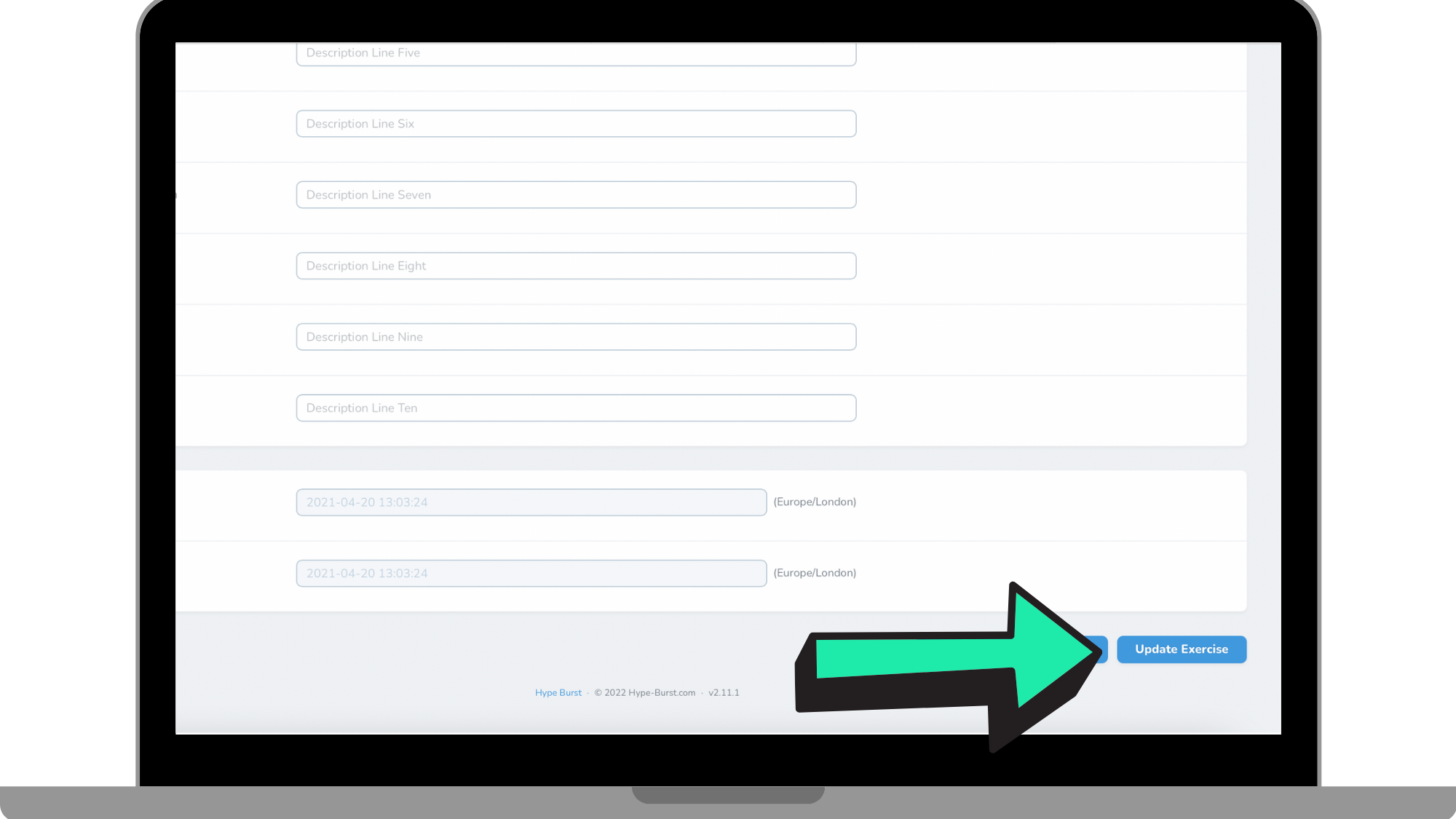
Step 6: Click 'Update Exercise'
Once you have made all the necessary changes to the Exercise, click 'Update Exercise' in the bottom right-hand corner of the screen. Please note that once you make these changes they are automatically updated in the end-user's screen but you are able to go back any time to make any changes.
How To Delete An Exercise
Step 1: Log into your Hype Burst Dashboard
Head to https://account.hype-burst.com/admin/login to log into your Hype Burst Dashboard.
Step 2: Click on 'Exercises'
Under 'Workout Plans' in the panel on the left-hand hand side, click on 'Exercises'.
Step 3: Locate the Exercise you want to delete
You can search for the Exercise in which you want to delete by the search bar at the top or by locating it within the list of Exercises you have created.
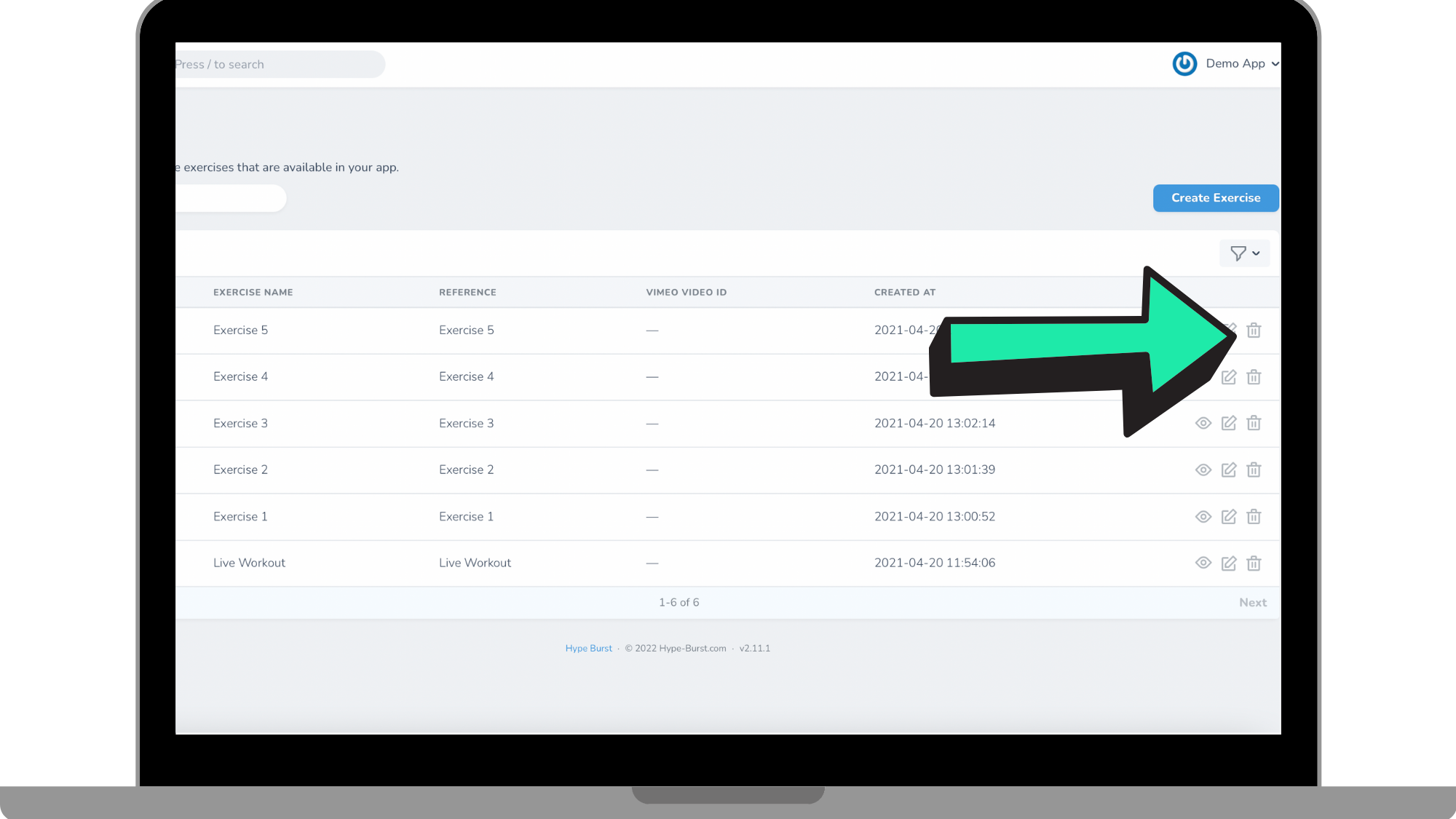
Step 4: Click the 'Delete' icon
Once you have located the Exercise you want to delete, click the 'Delete' icon next to that Exercise.
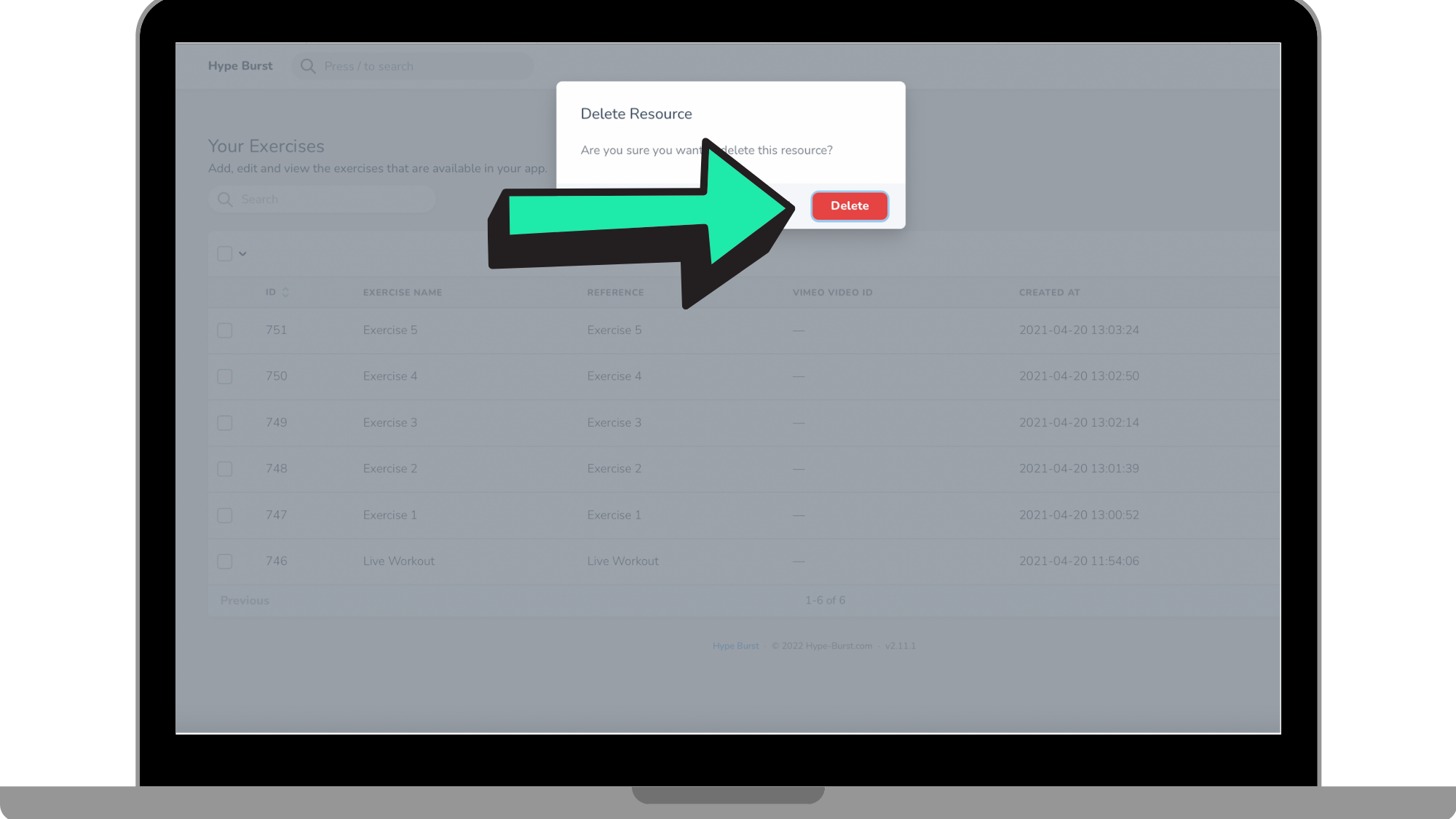
Step 5: Click 'Delete'
Once you have clicked the 'Delete' icon next to the Exercise, a mini page will appear to confirm the deletion of that Exercise. Go ahead and click 'Delete'. If you did not mean to delete that Exercise, you can click 'Cancel'. Please note that once you have deleted the Exercise, you cannot get it back.
How To Get Started
Head to https://account.hype-burst.com/admin/login to log into your Hype Burst Dashboard to get started in editing and deleting your Exercises.
Comments
0 comments
Please sign in to leave a comment.