
Workout plans are an important part of your fitness app. Your users must select a plan during the sign up process. App users can switch between plans at anytime and their progress will be saved in each plan. You can modify, update and add new plans at anytime and your app will be updated automatically. The Hype Burst dashboard is designed to give you the maximum amount of customisation when creating a workout plan so the power is in your hands!
What is a Plan?
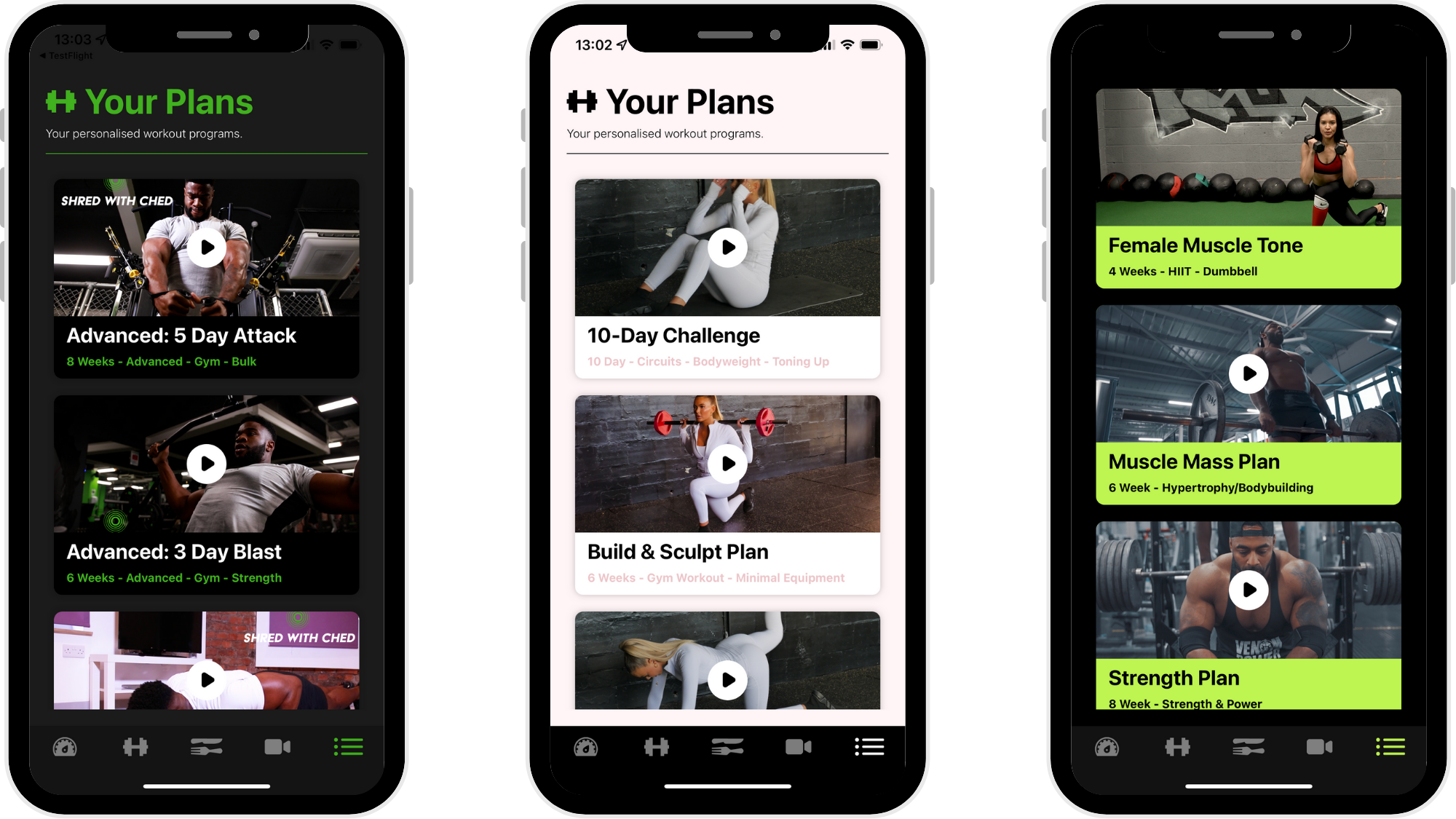
A plan is a head section to break up the workouts in your fitness app. For example, you could have a "6 Week Beginner Strength Plan" or a "Collection of Chest Workouts". It is completely up to you how you choose to organise your workout content. We suggest taking some time to brainstorm how you will break up your workout content in your app. You may already have workout plans (e.g. in a pdf format or other resource) which can be uploaded into the Hype Burst dashboard.
What does a Plan consist of?
Plans are made up of Weeks. Weeks are made up of Workouts. Workouts are made up of Exercises.
EXAMPLE:
PLAN: 6 Week Beginner Strength Plan
WEEKS: Week 1, Week 2, Week 3, Week 4, Week 5, Week 6
WORKOUTS: Week 1 (Push Workout, Pull Workout, Legs Workout)...
EXERCISES: Push Workout (Bench Press, Shoulder Press, Tricep Pushdown)....
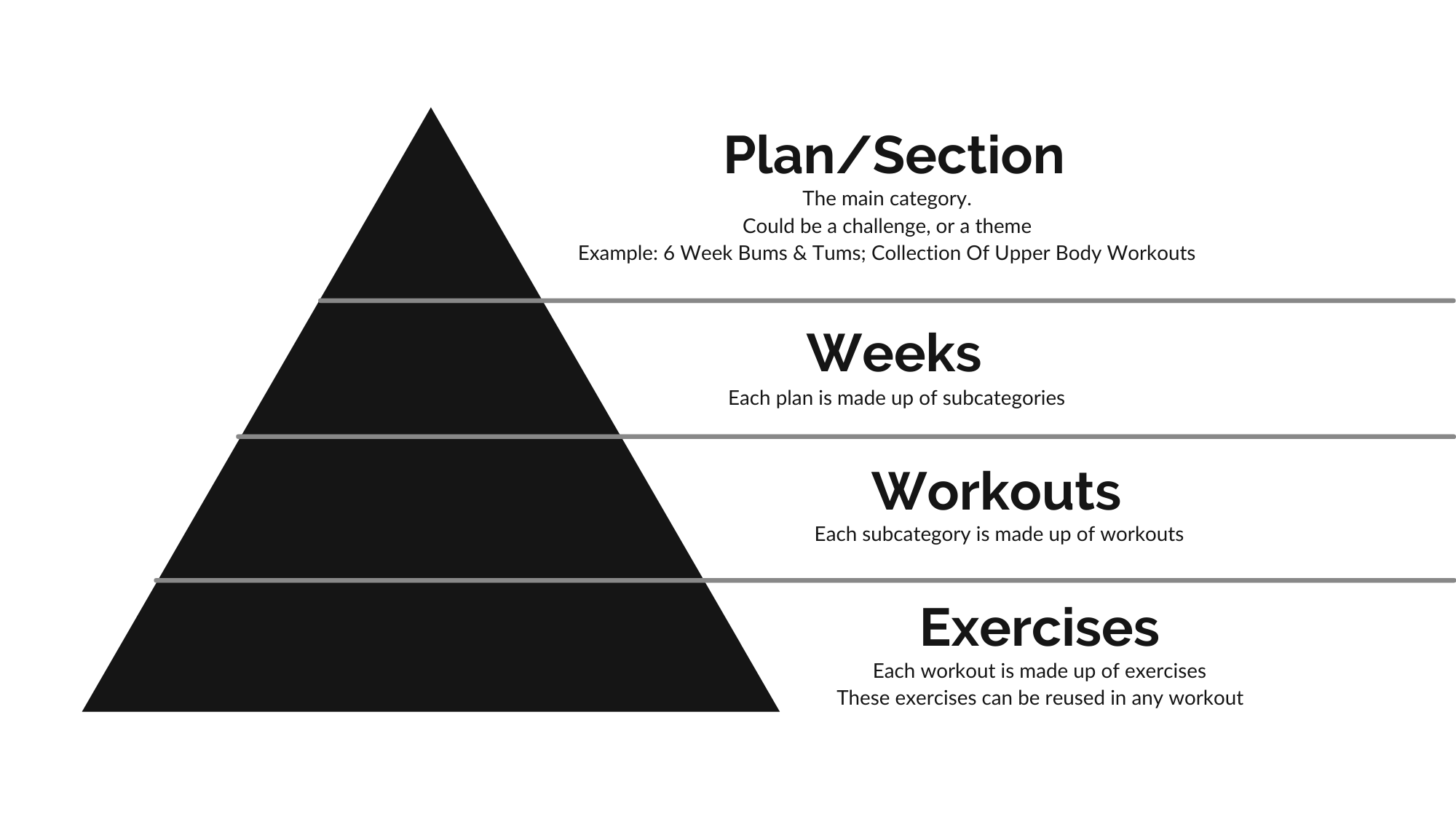
Weeks:
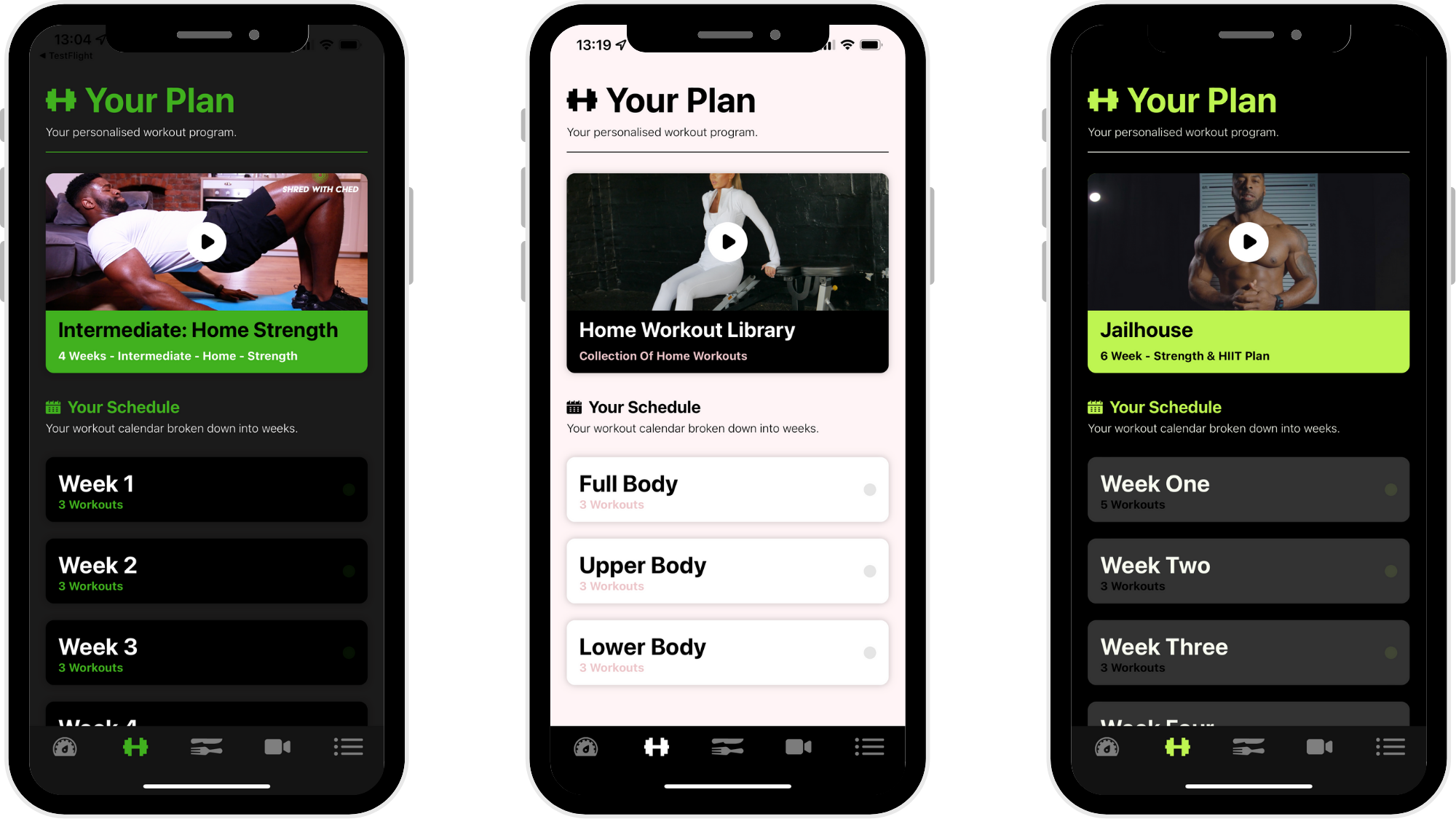
Plans are made up of Weeks. Once you have created your plans, you can now break them up into subsections. In the dashboard, you will find this as 'Weeks' on the left panel. You can label your Weeks however you like.
In the example above, the subsections are labelled as Week 1,2,3... but the Weeks could easily be label as something else such as Level 1,2,3 or Beginner, Intermediate, Advanced. It simply depends on how you wish to break up the Plan.
Read the guide on adding Weeks here: https://hypeburst.zendesk.com/hc/en-gb/articles/4410575531793-How-to-add-a-week-subcategory-
Workouts:
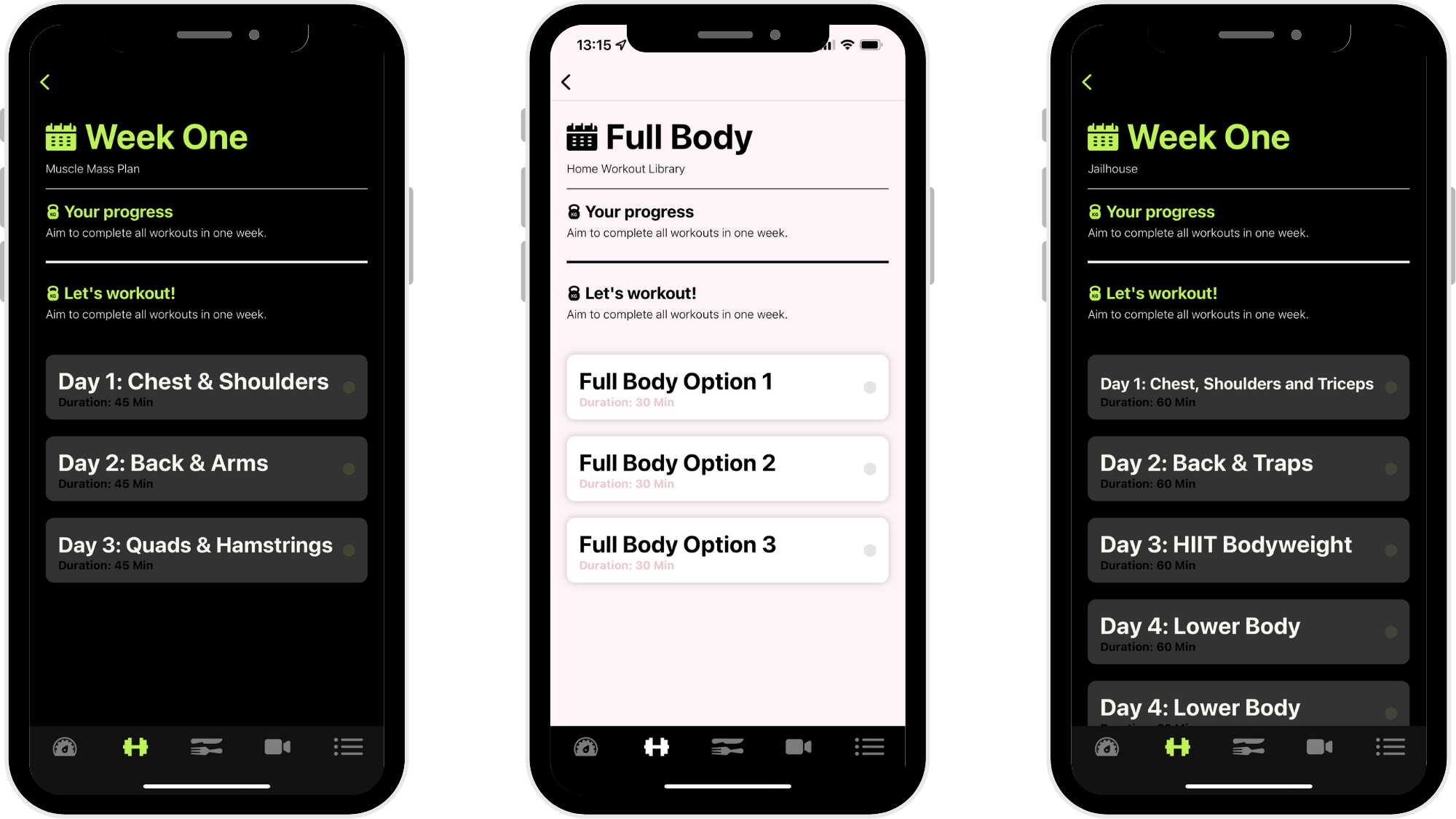
Weeks are made up of Workouts. In the Hype Burst dashboard, you will find this as 'Workouts' on the left panel. You can create your Workouts however you like.
In the example above, the Workouts are labelled all differently.
When you create a Workout you can add Exercises to it. Exercises can be added to the Workout as Straight Sets or as a Circuit. Within each Exercise you can assign a number of Sets, Reps for each Set & Rest Period.
Read the guide on adding Workouts here: https://hypeburst.zendesk.com/hc/en-gb/articles/4410587849105-How-to-add-a-workout-
Exercises:
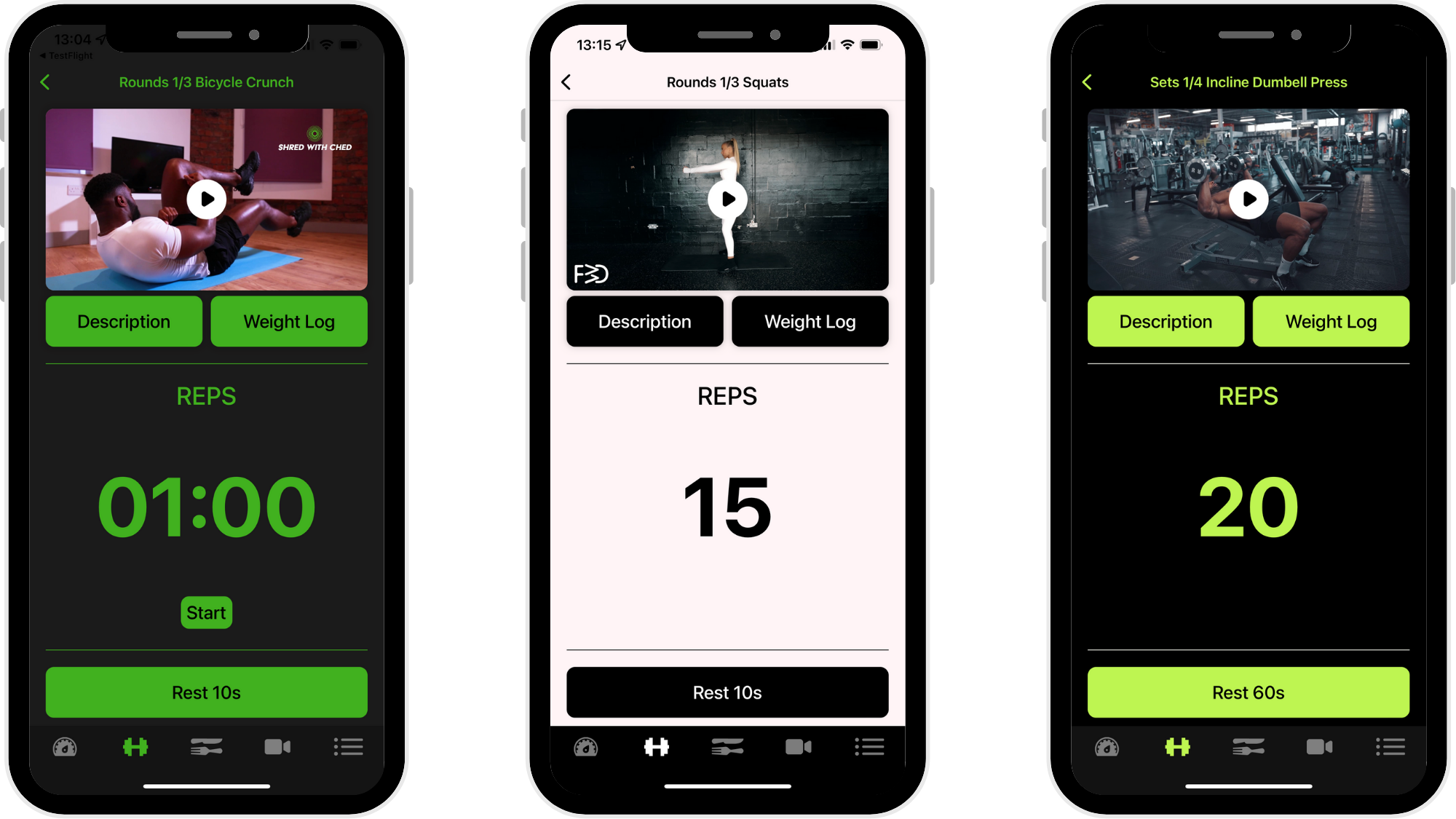
To be able to add Exercises to your Workouts, Exercises need to exist within your Dashboard. You can add new Exercises by clicking Exercises in the left menu on the Dashboard. You can upload videos & text descriptions for each Exercise. This will form your "Exercise Library" and Exercises can now be added into Workouts. You can reuse Exercises in various workouts.
Read the guide on adding Exercises here: https://hypeburst.zendesk.com/hc/en-gb/articles/4411132244369-How-to-add-an-exercise
How do I create a Plan?
Log into your dashboard at https://www.hype-burst.com and start to create the Plans that will feature in your fitness app.
STEP ONE: Add your Exercises to the Exercise library by clicking Exercises on the menu
STEP TWO: Create a Plan by clicking Plans on the menu
STEP THREE: Create the Weeks and attach them to the plan by clicking Weeks on the menu
STEP FOUR: Create Workouts and attach them to the Weeks by clicking Workouts on the menu
BONUS TIP: YOU WILL FIND THE ENTIRE PLAN PROCESS A LOT FASTER IF YOU ALREADY HAVE YOUR PLANS DRAWN OUT E.G. EXCEL OR IN A PDF.
Comments
0 comments
Please sign in to leave a comment.